 Renew Before It Lapses
Protect
Domain status codes explained, one by one
Last reviewed
The short version
- A status code is a word in a domain's record. It says what is happening to the name, or what is blocked.
- Many are calm and need nothing from you.
- A few mean the name has stopped working. Those need a call to your registrar.
- A word starting with "pending" means a request is being processed.
How to read a status
Every domain has at least one status code. Some have several at once.[1] You'll see them when you look up your domain.
The words come from a standard called EPP. You don't need to learn it. Look at the word, find it below, and see if it asks anything of you.
The word "client" in a code means your registrar. "Server" means the registry. Registrars set client codes.[1] Registries set server codes, and those take precedence.[1]
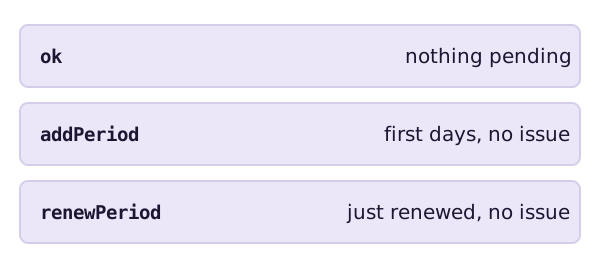
Calm words: nothing to do
ok is the standard status. It means no pending actions and no restrictions.[1]
addPeriod shows for the first several days after you register. ICANN says there is no issue with your domain name.[1]
renewPeriod shows for a limited time after your registrar renews the name.[1] If you didn't ask for that renewal, ask your registrar about it.
Pending words: a request is being processed
A pending status means the registry has received a request and is working on it.
- pendingTransfer: a request to move the domain to a new registrar has arrived.[1]
- pendingUpdate: a request to change the domain has arrived.[1]
- pendingRenew: a request to renew it has arrived.[1]
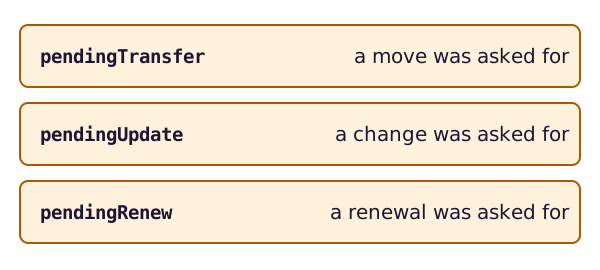
Did you ask for the move or change? Then wait. Did you not? For a transfer, ICANN says to contact your registrar straight away and ask them to deny it.[1] Don't sit on that one.
Holds: the name is switched off
A hold tells the registry not to switch the domain on in the DNS. The DNS is the system that turns a name into a place on the internet. With no DNS, the name won't resolve.[1] Your website and email stop working.
There are two kinds.
clientHold comes from your registrar. ICANN calls it uncommon. It is usually used for legal disputes, non-payment, or when a domain is due to be deleted.[1]
serverHold is set by the registry.[1]
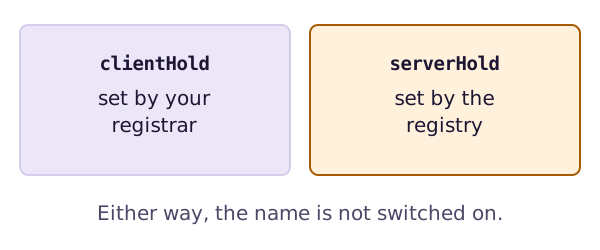
Should you act? Yes, and quickly. ICANN says a hold often points to an issue that needs fixing, and that you should contact your registrar.[1] Non-payment is one of the causes ICANN lists.[1] The expiry page shows what happens next.
Inactive: no name servers yet
inactive means no name servers have been set for the domain. It is not switched on and won't resolve.[1] If it stays that way for several days, ask your registrar why.
The end-of-life words
Some codes show a domain heading for deletion. redemptionPeriod means your registrar has asked the registry to delete the domain. It's held for 30 days.[1] If you see it on a domain you want, call your registrar now.
These words, with pendingRestore and pendingDelete, are covered on the redemption page.
The lock words
Some codes end in "Prohibited". They block an action, such as a transfer, a deletion or an update. The locks page covers the three common ones.
There's one more you might not expect. A renew lock tells the registry to reject requests to renew the domain.[1] If you can't renew, look for it.
What to do when you see an odd word
- Write down the exact word.
- Check whether it's in the calm list above.
- If it's a hold, a pending word you didn't expect, or a delete word, contact your registrar the same day.
- Ask what set it and what removes it.
Registrars differ in how they handle this. Ask them, and keep their answer.
Sources
- EPP Status Codes | What Do They Mean, and Why Should I Know?, ICANN (accessed 2026-11-08)